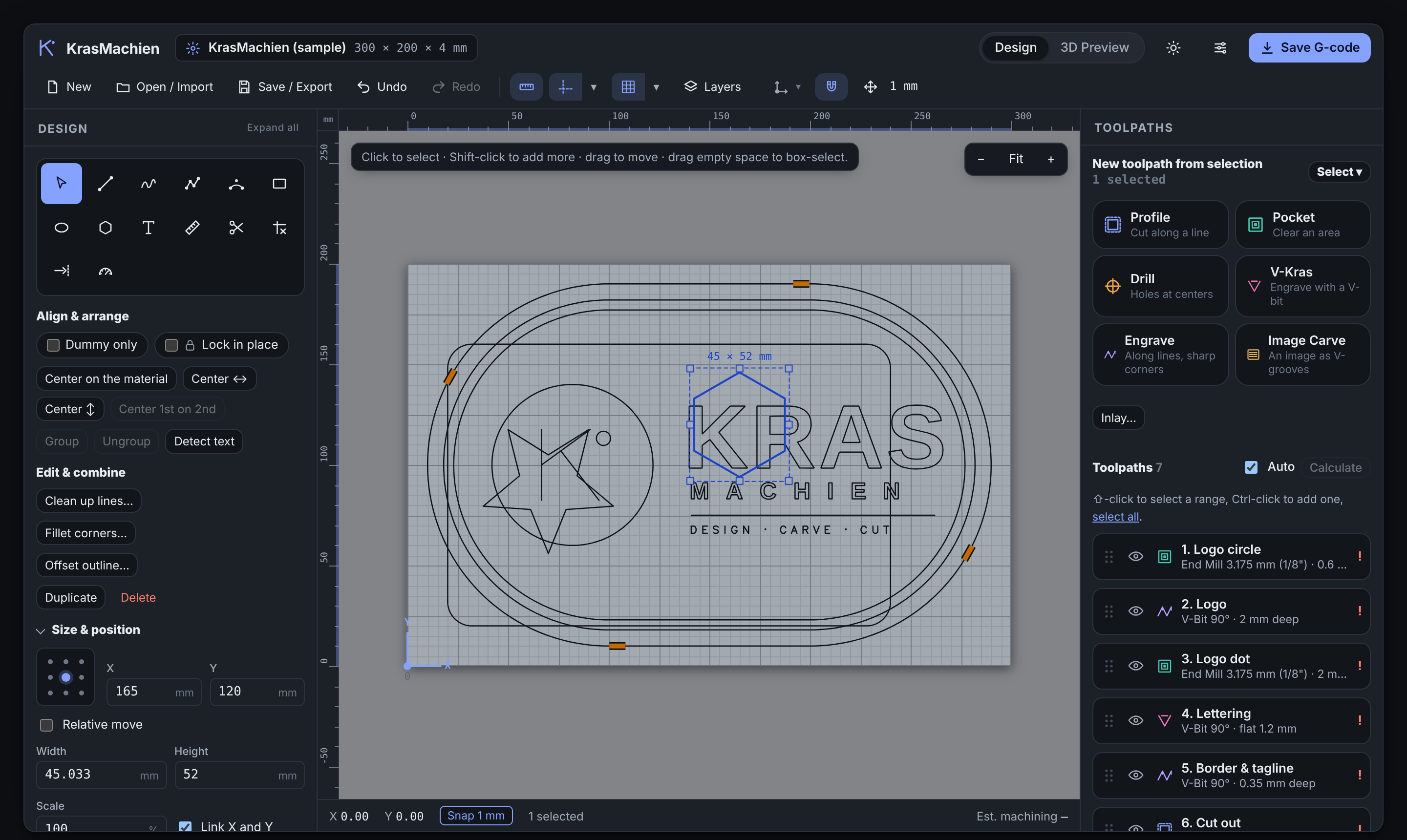
KrasMachien draws your parts, builds the toolpaths, and writes clean G-code — one file, no install, no account, works offline. Made for routers and desktop CNC.
Draw it, lay the cuts on it, watch them run in 3D, then save the G-code your controller speaks. Everything the shop needs, in one window.
Shapes, text and curves with the editing you expect — fillets, trim and extend, join, and boolean combine.
Every strategy a sign or part needs, each with tabs, presets and a tool library behind it.
Build dials, rulers and gauges with evenly spaced ticks and labels — numbers, letters or your own text, straight or following the curve.
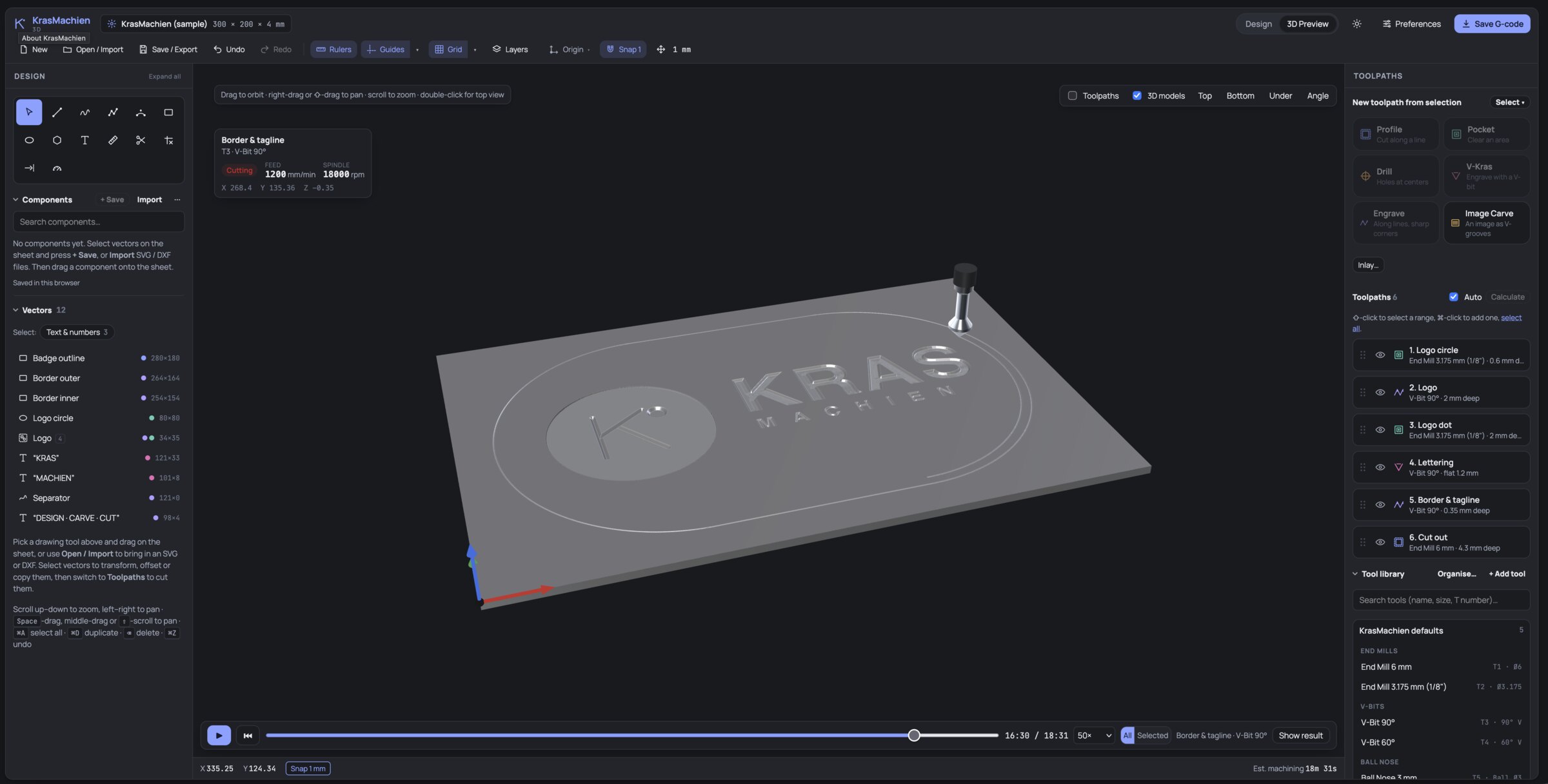
See the finished cut before the spindle spins — simulated in wood, aluminium, black or natural anodised, or any solid colour you pick.
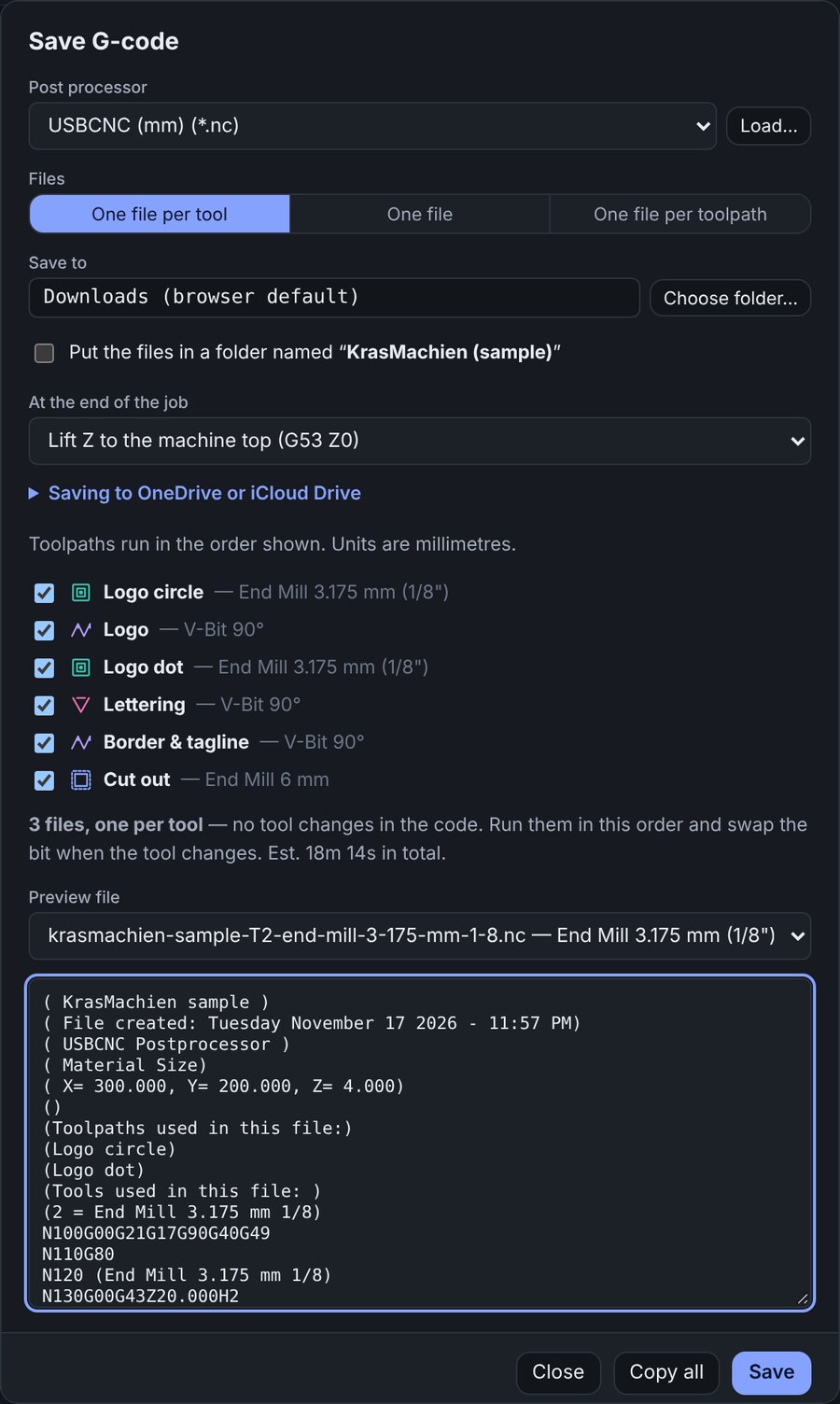
GRBL and USBCNC built in, or import your own post. Export the design as DXF, SVG, EPS, AI or PDF — and G-code one file, per tool, or per toolpath.
Every program lifts Z fully clear at the end before it returns, so the bit never drags back across your clamps. Autobackup keeps your library safe too.
Enter your X, Y and Z travel once. The work area shows around the sheet and as a cage in 3D, and you're warned if a part falls outside it or needs more Z than you have.
Work in a calm dark theme, a bright light theme, or let it follow your system. Turn the canvas background lighter or darker so vectors and toolpaths stay easy to read in any workshop light.
Play the job back in 3D, toolpath by toolpath. A live readout shows the current tool, feed, spindle speed and position, so you can catch a wrong depth or a forgotten tab on screen instead of on the spoilboard.
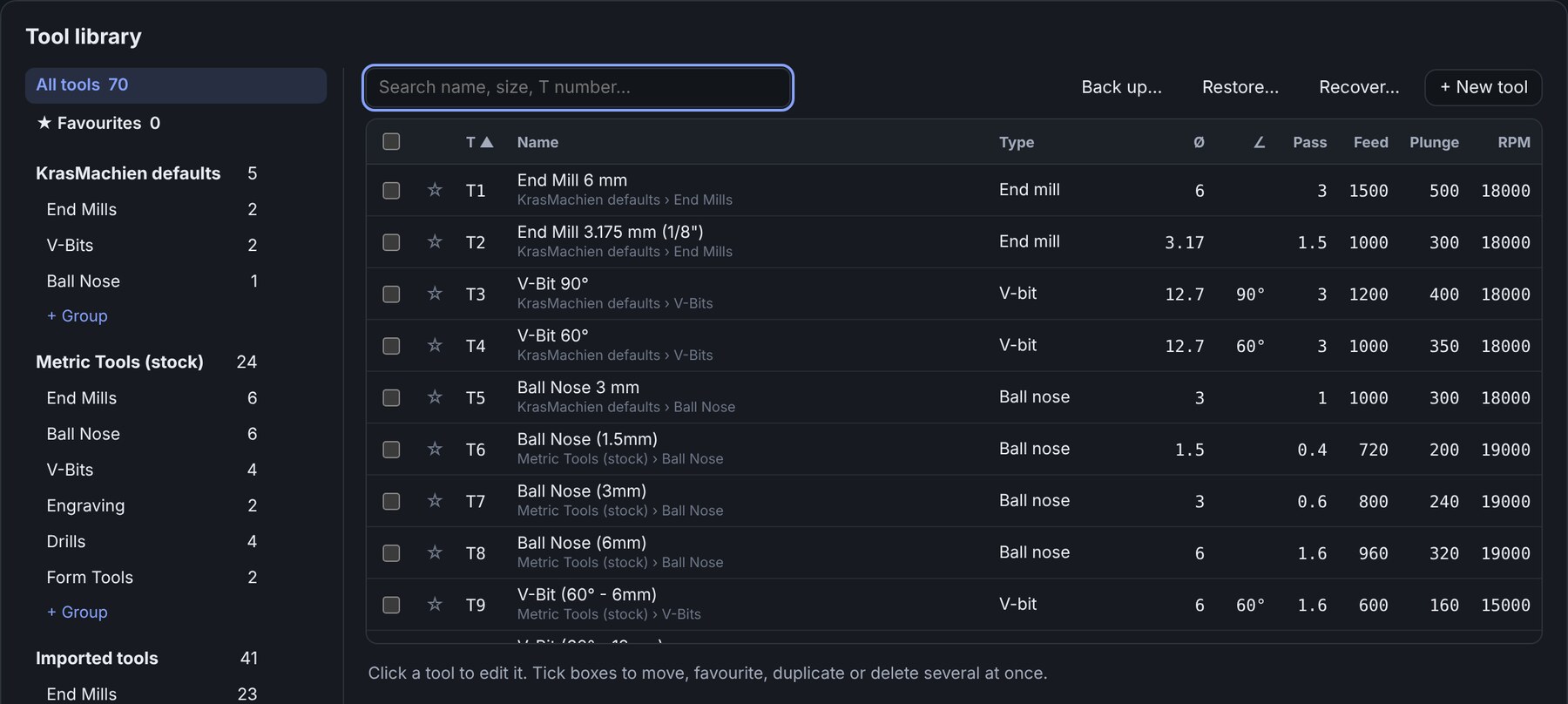
Set a tool up once and it's ready for every job after. KrasMachien keeps your cutters, speeds and feeds in one tidy library.
KrasMachien is still being developed, and the demo is updated as it grows. Here is what changed most recently.
Everything you need to decide before cutting sits on one screen, with a live preview of the code it will write.
( KrasMachien · profile · end mill 3.175 ) ... G1 X88.000 Y12.000 F900 G0 Z5.000 ( clear to safe Z ) ( lift to machine top ) G53 G0 Z0 ( fully up, clamps cleared ) G0 X0 Y0 M30 %
Plenty of CAM lets the spindle take the shortest path home when the cut finishes — straight back across the sheet at cutting height, through whatever is clamped in the way.
KrasMachien lifts Z to the machine top with G53 G0 Z0 before any return move, every time. Pick lift Z or lift Z and home the machine right in the Save dialog.
Built into the USBCNC and GRBL posts. Your imported posts keep their own footer untouched.
No hopping between a drawing program and a separate CAM app. KrasMachien carries the job the whole way.
Start from shapes and text, or bring in DXF, SVG and images. Detect text turns outlines back into editable letters.
Pick a strategy per part, set depth and tabs, reorder by dragging. Auto-calculate keeps them current as you edit.
Run the cut on screen in your chosen material and catch problems before they reach the spoilboard.
Choose your post, your file split, and your safe-Z ending — then send it to the machine.
Same drawing and CAM core. The 3D edition adds model import on top.
The 2.5D workshop: everything above — design, toolpaths, 3D cut preview and G-code — for signs, inlays, brackets, plaques and panels.
Everything in KrasMachien, plus STL model import and 3D handling — when your parts start as a model, not a drawing.
You can try it today: the free demo is the full 2.5D workspace with saving and G-code export switched off. Draw, lay toolpaths and watch them run in 3D, right in your browser.
KrasMachien is in public beta. The full version goes on sale once enough people want it, so if you do, let me know. It will be a one-time purchase: no subscription, no account, no cloud lock-in.
Want it when it's ready? Send a short email and you'll be the first to hear when it launches.
Register your interest Try the demo first.pp post for other controllers. G-code can be saved as one file, one file per tool, or one file per toolpath.